Manage tasks like you write code_
Plug Karea into Claude Code, Cursor, or any MCP client and your AI agent can create, edit, and close tasks directly. Slash commands, weekly planner, live deadlines - all keyboard-driven, all scriptable.
No credit card required. Free plan included forever.
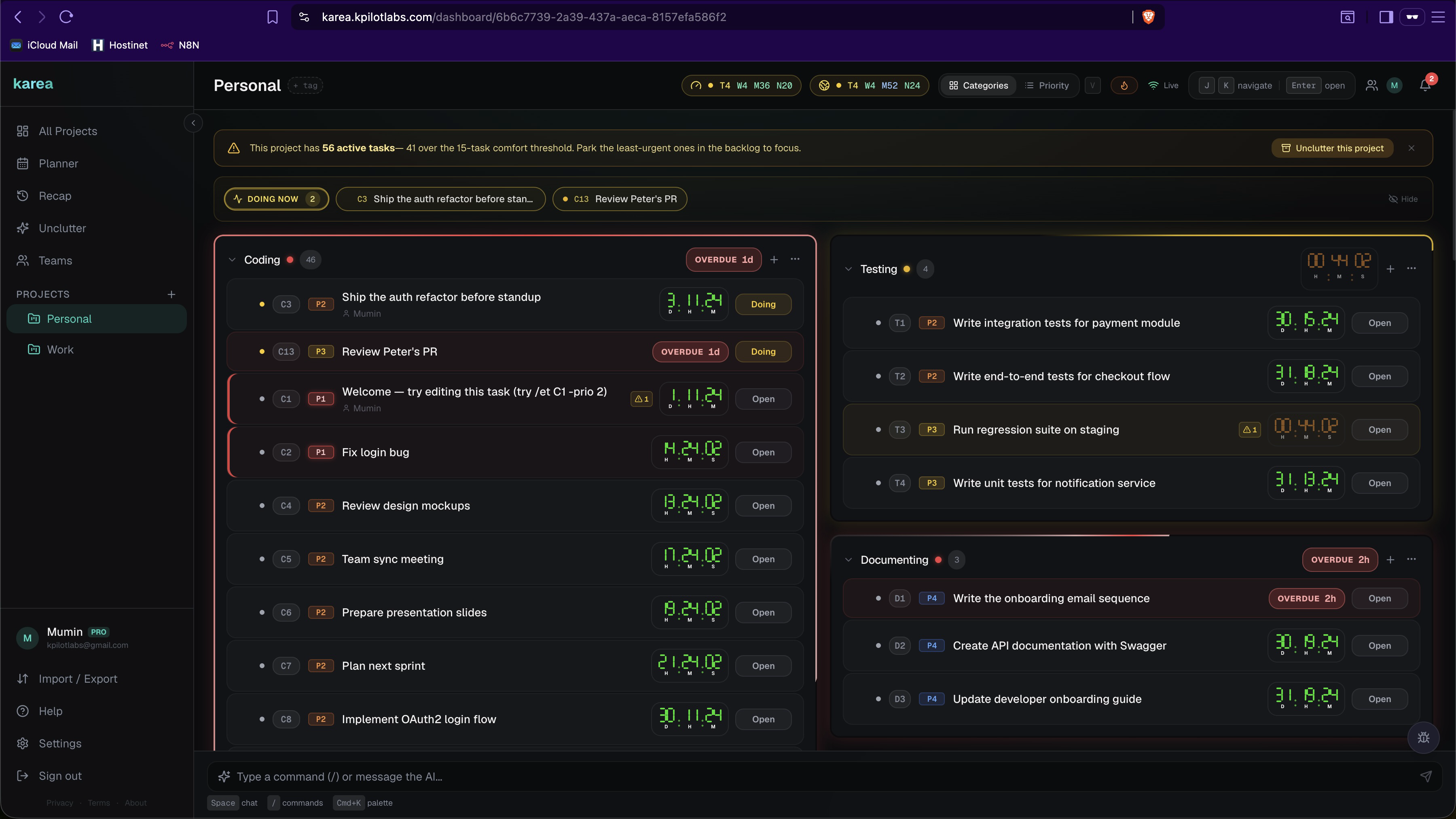
keep scrolling
Have a click around
Add a task, move it through statuses, open it up and read the notes an agent left. No account, no redirect.
Growth2
KA12Ship the onboarding email sequence
KA15Write the Q4 investor update
Bugs2
KA13Fix CSV preview rendering as raw text
KA16Rotate the production API keys
Features1
KA14Multi-day scheduling in the planner
A real (but fake-data) slice of Karea. Click around - nothing here is saved.
The first MCP-native task manager
Karea ships with an official MCP server. Connect Claude Code, Cursor, or any MCP-compatible client and let your AI agent drive task management directly - no clipboard juggling, no copy-paste, no context switching.
{
  "mcpServers": {
    "karea": {
      "command": "npx",
      "args": ["karea-mcp@latest"],
      "env": { "KAREA_API_KEY": "karea_..." }
    }
  }
}
One config block. Your agent gets tools for create/edit/close tasks, notes, resources, recaps, and more.
Built for speed
Every interaction is designed to keep your hands on the keyboard and your mind on the work.
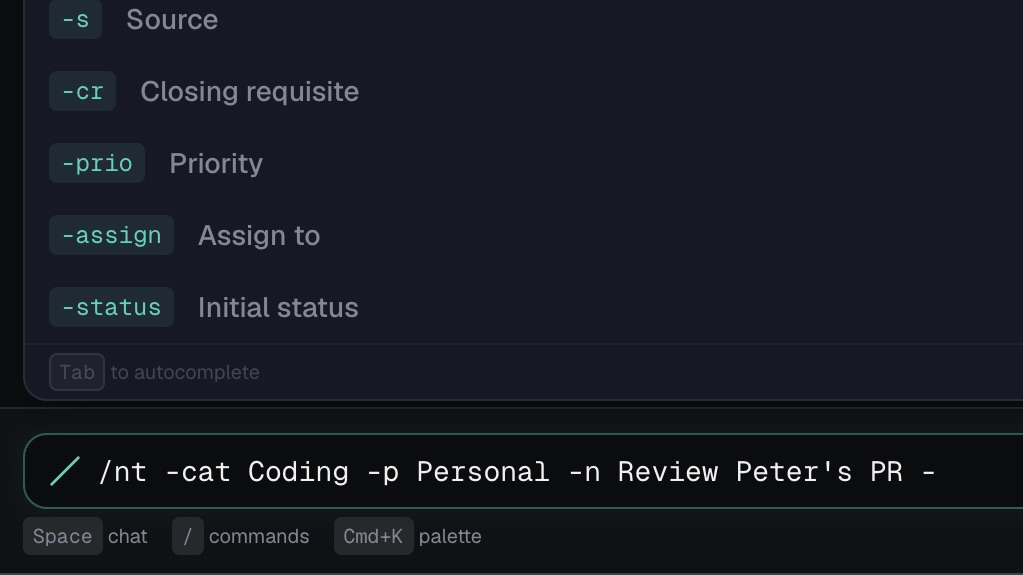
Command-first
Type /nt to create, /ct to close, /et to edit. Chain with ; and &&. Autocomplete, param hints, and visual IDs built in.
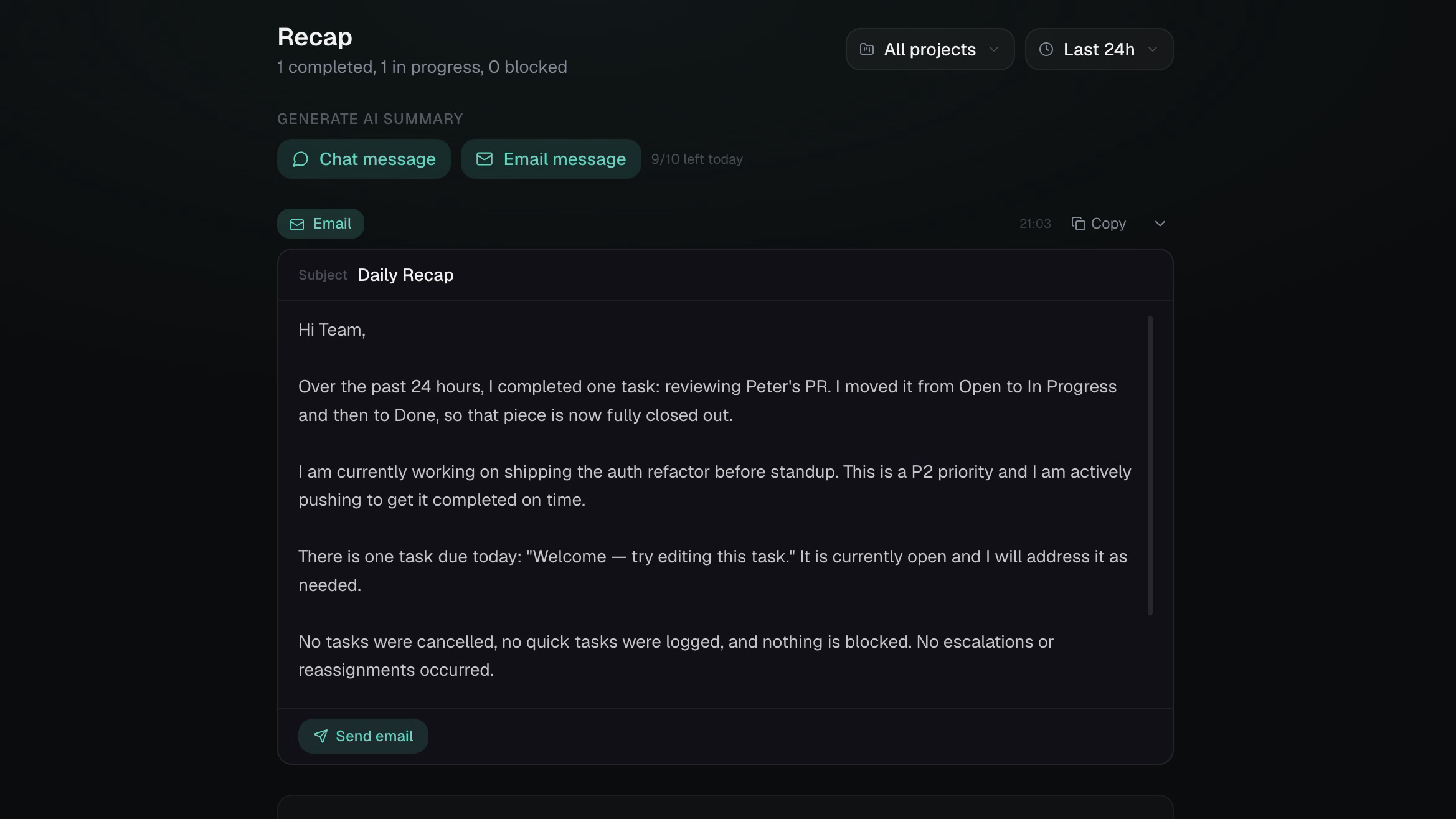
AI assistant & recaps
Chat naturally to move tasks, reschedule deadlines, or ask questions. Generate daily recap emails and chat summaries with one click.
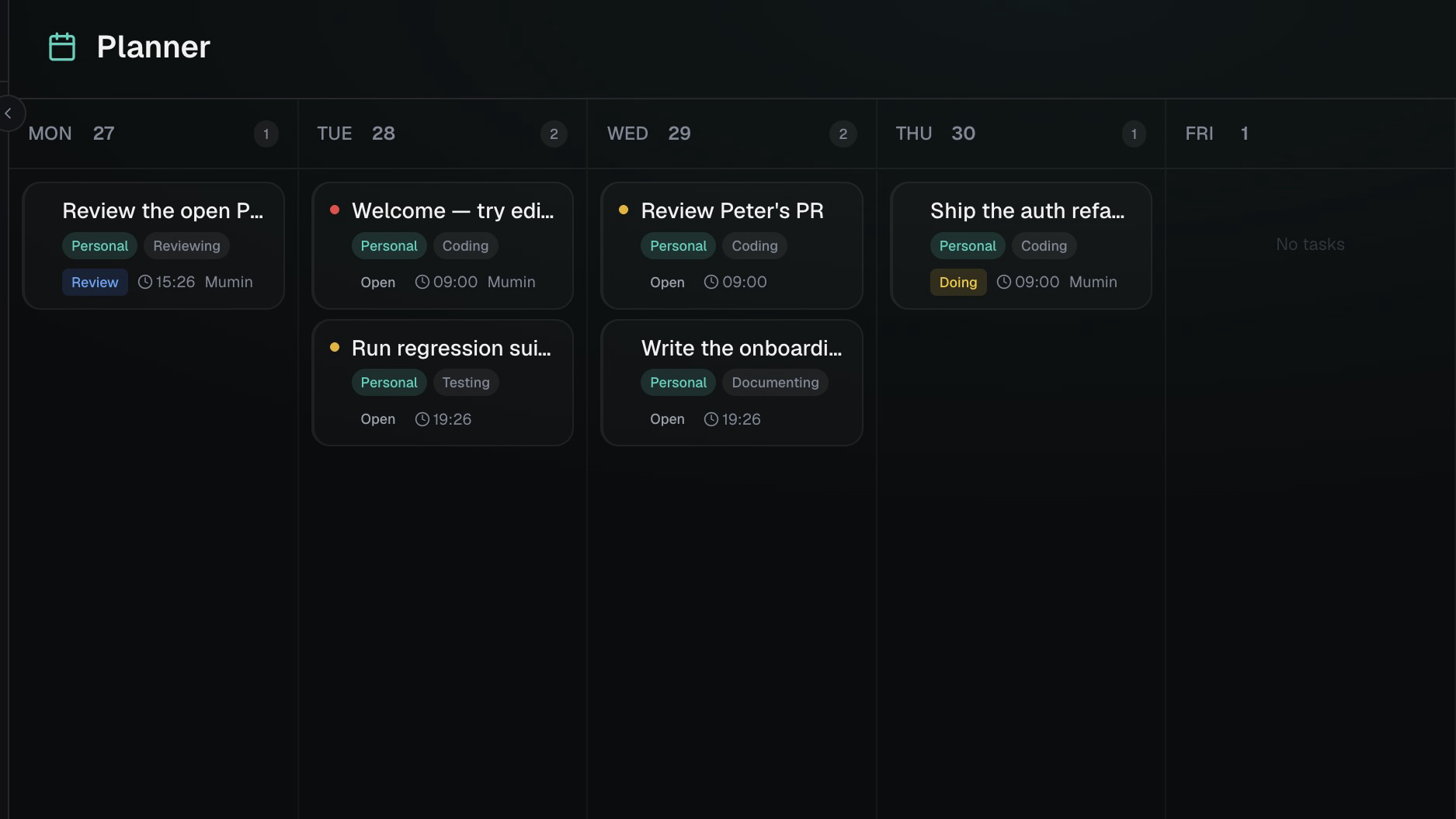
Weekly planner
Drag and drop tasks onto a 7-day calendar. Visual scheduling with automatic deadline assignment and priority ordering.
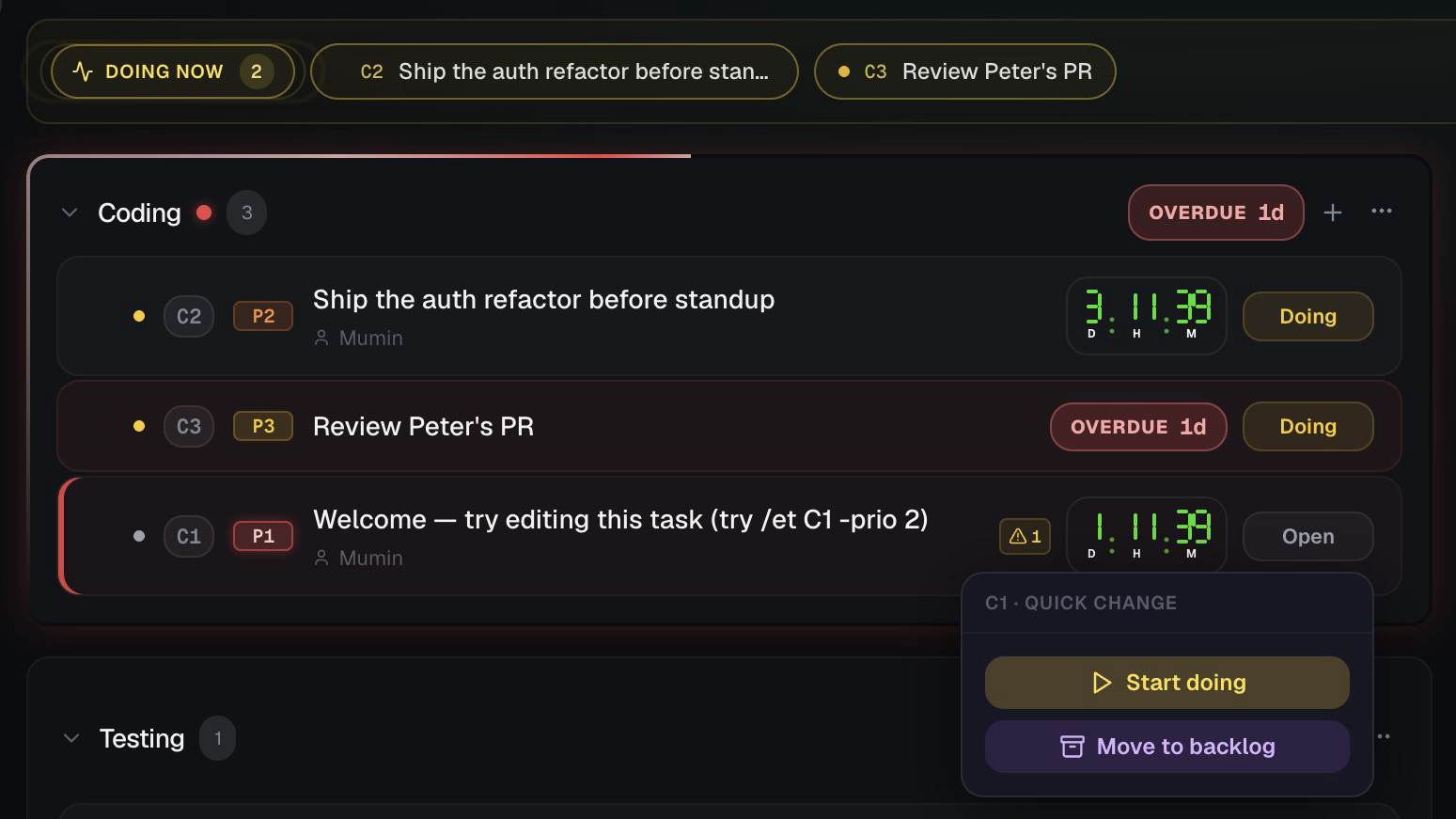
Live deadlines
Color-coded countdown timers that tick in real time. Quick-extend on hover. In-app and browser notifications at 4h and 1h.
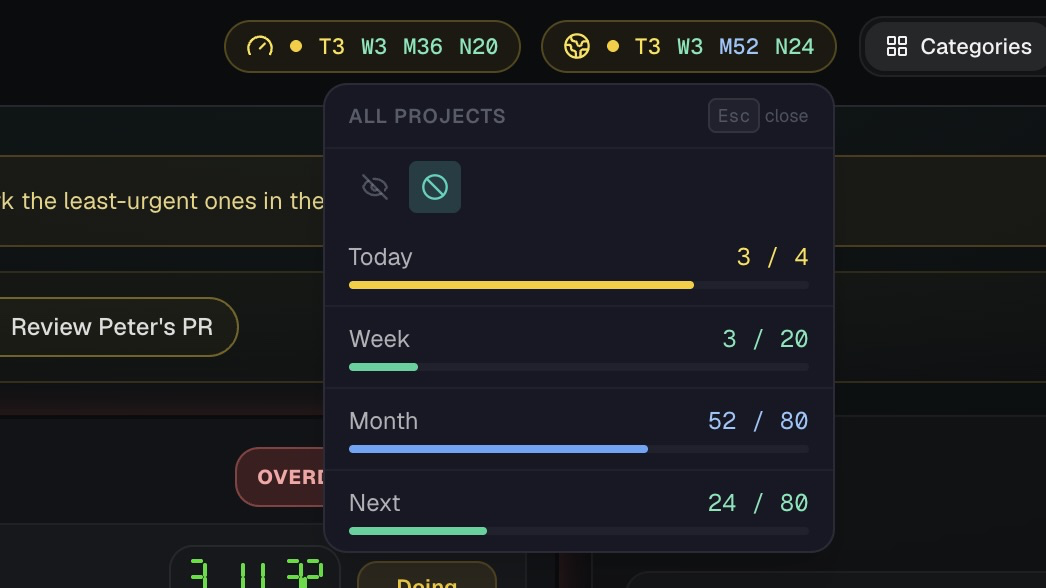
Workload capacity
Real-time workload indicator across Today, Week, Month. Color-coded health status so you know when to push back.
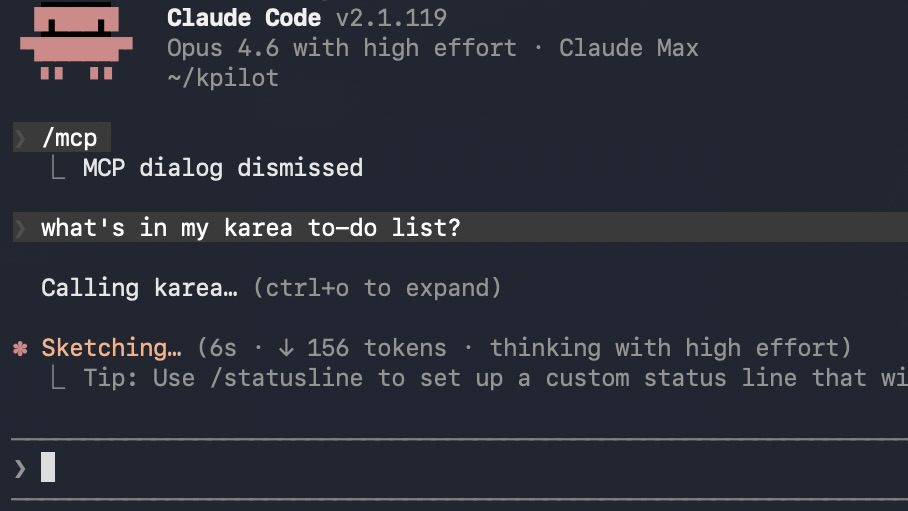
MCP integration
Connect Claude Code or any MCP client. Manage tasks from your terminal while coding: create, edit, close, recap.
Everything else you need
Beyond the core workflow, Karea packs the tools you'd otherwise need three apps for.
Keyboard native
Arrow keys to navigate, Enter to open, V for views, Cmd+K for palette. Never touch the mouse.
Teams & roles
Invite team members as Manager, Participant, or Viewer. Role-based permissions and assignment.
Public sharing
Generate shareable task links. Control whether visitors can add notes. Revoke anytime.
Full history
Every status change, edit, deadline update, and note is tracked with timestamps and attribution.
Tags & categories
Color-coded tags for cross-cutting labels. Organize tasks by category, archive what you're done with.
Markdown & notes
Attach long-form markdown documents to tasks. Add timestamped notes for team discussion.
Import & export
Bulk import/export in JSON or CSV. Move your data freely. No lock-in.
Closing requisites
Define checklist items that must be completed before a task can close. No accidental sign-offs.
Unclutter mode
Surface stale and overdue tasks. Park them to backlog, reschedule, or archive in bulk.
Open Questions
Track unresolved questions linked to tasks. Answer, discuss, and close them when resolved. Full recap integration.
How it works
Type commands like you type in a terminal. The AI handles the rest.
/nt -cat Coding -n Fix navbar bug -sla tomorrow -prio 1Create a P1 task in Coding, due tomorrow
/et C1 -status blocked -note Waiting for designMark task C1 as blocked with a note
/ct C1 -r Deployed and tested in prodClose with resolution
/did Fixed typo in READMELog a quick task (already done)
move all overdue tasks to fridayAI handles the rest
recap me on what happened todayGet an AI summary of all activity
Ready to manage tasks at the speed of thought?
Free to use. Pro features included during early access.
Create your account